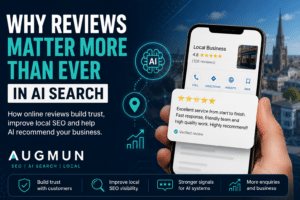


Your Google Business Profile is often the first thing potential customers see when they search for your business, your services, or local companies near them. It can appear in Google Search, Google Maps and local search results, giving people a quick way to call, visit your website, read reviews, check opening hours or request directions.
However, simply having a Google Business Profile is not enough. To generate more enquiries, your profile needs to be complete, accurate, active and trusted.
This practical guide explains how to improve your Google Business Profile step by step, with clear actions you can apply to help increase local visibility and attract more customers.
Why Your Google Business Profile Matters
For many local searches, Google shows map listings before standard organic website results. This means your Google Business Profile can influence whether someone calls your business before they even visit your website.
A well-optimised profile can help you:
- Appear more often in Google Maps
- Generate more phone calls
- Increase website visits
- Build trust through reviews
- Show your services clearly
- Promote offers, events and updates
- Help customers choose you over competitors
Step 1: Claim and Verify Your Google Business Profile
The first step is to claim and verify your Google Business Profile. This proves to Google that you are authorised to manage the listing.
Once verified, you can:
- Update your business information
- Add photos and videos
- Respond to reviews
- Add services and products
- Publish posts
- Track performance
If your business already appears on Google but you do not control the listing, search for your business name on Google and follow the ownership or verification steps shown on the profile.
Step 2: Choose the Correct Business Category
Your business category helps Google understand what your business does. It is one of the most important parts of Google Business Profile optimisation.
Your primary category should describe your main service as accurately as possible. Secondary categories can then support other services you offer.
For example:
- Electrician: Electrician, Electrical installation service, EV charger installer
- Restaurant: Restaurant, Family restaurant, Takeaway
- Dentist: Dentist, Cosmetic dentist, Emergency dental service
- Accountant: Accountant, Bookkeeping service, Tax preparation service
- Roofer: Roofing contractor, Gutter cleaning service, Flat roofing contractor
Avoid choosing broad or vague categories if a more accurate option exists. The clearer your category, the easier it is for Google to match your profile with relevant searches.
Screenshot suggestion: Add a screenshot showing the business category selection area inside Google Business Profile.
Step 3: Complete Every Section of Your Profile
An incomplete profile gives Google and potential customers less information to work with. Complete as many sections as possible so your profile feels useful and trustworthy.
Make sure you complete:
- Business name
- Address or service area
- Phone number
- Website URL
- Opening hours
- Business description
- Services
- Products, where relevant
- Attributes
- Photos and videos
- Appointment or booking links
Your profile should answer the basic questions a customer may have before contacting you. What do you do? Where do you work? When are you open? How can people contact you? Why should they trust you?
Step 4: Match Your Website Information
Your Google Business Profile information should match the information on your website. This is especially important for your business name, address and phone number, often known as NAP details.
Check that these details are consistent:
- Name: Use your real business name
- Address: Match your website and other local directories
- Phone number: Use the same main contact number
- Opening hours: Keep them accurate and up to date
- Website link: Link to the most relevant page
Inconsistent information can confuse customers and weaken trust signals. For example, if your website lists one phone number but your Google Business Profile lists another, customers may hesitate to contact you.
Step 5: Add Services and Products Properly
The services section helps Google and potential customers understand exactly what you offer. Avoid vague service names and add clear, specific services wherever possible.
For example, a plumber could add:
- Emergency plumbing
- Boiler repairs
- Boiler installation
- Bathroom installation
- Central heating repairs
An accountant could add:
- Self-assessment tax returns
- Bookkeeping
- Payroll services
- VAT returns
- Limited company accounts
A dentist could add:
- General dentistry
- Emergency dentist appointments
- Teeth whitening
- Dental implants
- Hygienist appointments
If you sell products, you can also add product listings. These should include clear names, descriptions and images where possible.
Step 6: Upload High-Quality Photos
Photos help potential customers understand your business before they contact you. They can show your work, premises, team, products, vehicles and completed projects.
Good photos to upload include:
- Team photos
- Shop front, office or premises photos
- Completed work
- Before and after images
- Branded vehicles
- Products
- Menus, where relevant
- Behind-the-scenes images
Avoid using blurry, outdated or generic stock images. Real photos usually build more trust than polished images that do not represent your actual business.
Try to add new photos regularly. This shows that your business is active and gives customers more confidence.
Step 7: Get More Reviews Consistently
Reviews are one of the most important parts of your Google Business Profile. They influence trust, click-through rates and customer decisions.
The best approach is to consistently ask happy customers for reviews, rather than waiting until you need them.
Good times to ask include:
- After a completed job
- After a successful appointment
- After a customer compliments your service
- After repeated work
- After a product has been delivered
Do not buy reviews, offer rewards for reviews or use fake review schemes. These can damage trust and may break Google’s rules.
Simple Review Request Template
You could send something like this:
Hi [Name], thank you for choosing us. We really appreciate your custom. If you were happy with the service, would you mind leaving us a quick Google review? It helps other local customers find us and means a lot to our business.
You can also send customers a direct review link from your Google Business Profile dashboard.
For more guidance, read our guide on how to write a great review for a local business on Google.
Step 8: Respond to Every Review
Responding to reviews shows that your business is active and values customer feedback. You should respond to both positive and negative reviews.
Example Positive Review Response
Thank you for your kind review. We are really pleased you were happy with the service and appreciate you taking the time to leave feedback.
Example Negative Review Response
Thank you for your feedback. We are sorry to hear that your experience did not meet expectations. Please contact us directly so we can look into this and try to resolve the issue.
Keep responses professional, calm and helpful. Avoid arguments, blame or defensive replies. Your response is not just for the reviewer; it is also for future customers reading your profile.
Step 9: Publish Weekly Google Business Profile Posts
Google Business Profile posts let you add updates directly to your listing. They can help keep your profile fresh and give potential customers more reasons to engage.
Useful post ideas include:
- Recent projects
- New services
- Special offers
- Seasonal advice
- Company news
- Events
- Blog articles
- Customer success stories
For example, a roofer could post about preparing your roof for winter. A restaurant could post a new seasonal menu. A dentist could post advice about emergency appointments or teeth whitening.
Posting once per week is a good starting point for most businesses. Keep posts short, useful and relevant.
Step 10: Use the Appointment or Booking Feature
If your business takes appointments, bookings or consultations, add a booking link to your Google Business Profile. This makes it easier for customers to take action directly from your listing.
This can be useful for:
- Clinics
- Dentists
- Beauty salons
- Restaurants
- Consultants
- Professional services
Make sure the booking page works properly on mobile devices. Many local searches happen on phones, so the journey from profile to enquiry should be quick and simple.
Step 11: Utilise Google Q&A
Google Q&A allows people to ask questions about your business directly on your profile. You can answer these questions to help future customers and reduce barriers to enquiry.
Useful questions to answer include:
- Do you offer emergency appointments?
- Which areas do you cover?
- Do you provide free quotes?
- Is parking available?
- Do you work weekends?
- Do you offer finance or payment plans?
Check your Q&A section regularly. If questions go unanswered, others may answer them incorrectly.
Step 12: Monitor Performance Using Google Business Profile Insights
Google Business Profile performance data helps you understand how people interact with your listing.
You can monitor:
- Phone calls
- Website clicks
- Direction requests
- Profile views
- Search terms used to find your business
- Photo views
- Messages, where enabled
This data can help you decide what to improve. For example, if many people view your profile but few people call, your reviews, photos, description or call-to-action may need improving.
Step 13: Avoid Common Google Business Profile Mistakes
Many businesses miss out on enquiries because their profile is incomplete or poorly maintained.
Common mistakes include:
- Using the wrong primary category
- Keyword stuffing the business name
- Leaving services blank
- Using outdated opening hours
- Not responding to reviews
- Having very few photos
- Ignoring Google Business Profile posts
- Adding service areas that are not realistic
- Using different contact details across the web
- Linking to a weak or irrelevant website page
Fixing these issues can often improve performance without needing a complete website rebuild.
Step 14: Understand How AI Search Uses Profile Information
Search behaviour is changing. People are now using longer, more specific searches and AI-powered tools to compare local businesses.
Instead of searching only for:
- plumber near me
Someone may ask:
- Which local plumber has strong reviews, offers emergency call-outs and covers my area?
AI-powered search results need clear information to understand which businesses are relevant and trustworthy. Your Google Business Profile can help provide this information, especially when it is consistent with your website, reviews and other online mentions.
This makes profile completeness even more important. Categories, services, reviews, photos, posts and website content all help build a clearer picture of your business.
For more on this, read our guide to Google Business Profile Optimisation in Lancashire.
Final Google Business Profile Checklist
Use this checklist to review your profile:
- Profile claimed and verified
- Correct primary category selected
- Relevant secondary categories added
- Business name, address and phone number are correct
- Opening hours up to date
- Website link added
- Business description completed
- Services added with clear names
- Products added where relevant
- High-quality photos uploaded
- Reviews requested consistently
- Reviews answered professionally
- Google Business Profile posts are published regularly
- Q&A section monitored
- Performance data reviewed
Need Help Improving Your Google Business Profile?
Improving your Google Business Profile is one of the most practical ways to generate more local enquiries. Small improvements to your categories, services, reviews, photos and posts can make a real difference over time.
Businesses specifically targeting Preston can also read our guide to Google Business Profile Optimisation Preston.
Augmun helps local businesses improve visibility through Google Business Profile optimisation, local SEO, website content and search strategy.
If you need support, our local SEO services can help you improve your Google Maps visibility and generate better local enquiries. You can also learn more about our wider SEO services in Lancashire and SEO services in Preston.

Chris Giles Snr built his first client website in 1995 and has remained at the leading edge of web development and SEO ever since. He is a Fellow of The Chartered Institute of Marketing (FCIM).